
If you need to flatten a pdf before printing, you are not alone. Whether you are dealing with sensitive client records, large academic publications, or daily business paperwork, understanding the real underlying mechanics of digital PDF documents makes the difference between clean, professional files and corrupted, distorted headaches.
The Danger of Unflattened PDFs: Disappearing Signatures and Ghost Edits
Have you ever filled out a government application, signed it electronically, emailed it, and had the recipient complain that the form arrived completely blank? Or sent an architectural plan to a commercial printer, only for all your sticky notes and dimension callouts to vanish?
This disaster happens because interactive form fields (AcroForms), digital signatures, and comment callouts are not drawn into the PDF’s primary page content stream. They live as floating, interactive Annotations (`/Annots`) that hover above the page.
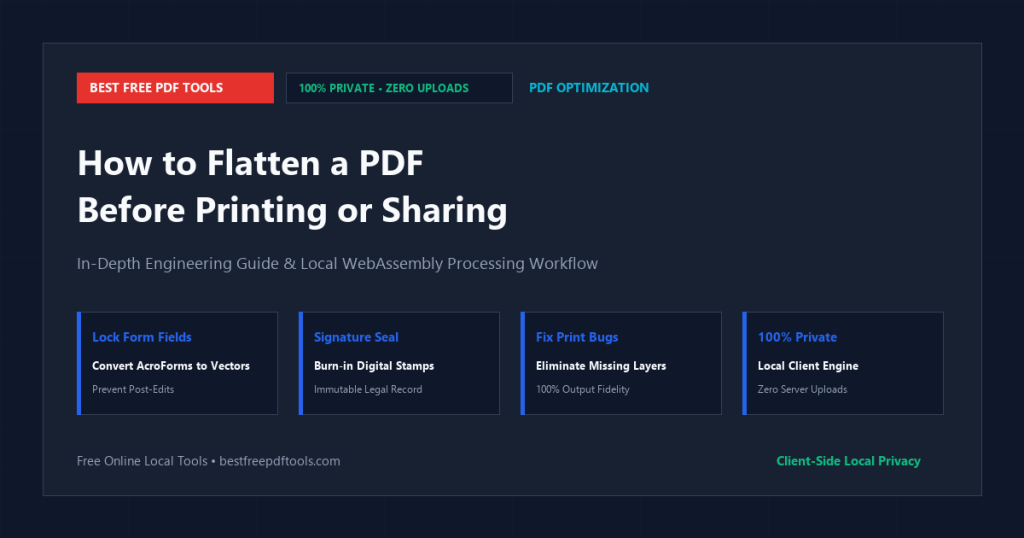
Many mobile viewers, web browsers, and commercial printer RIP engines do not render interactive annotation layers. When you flatten a PDF before printing or sharing, you permanently ‘bake’ those floating elements into the base vector content stream, making them permanent and universally visible.
How Flattening Works Under the Hood
A compliant PDF flattener performs surgical stream synthesis:
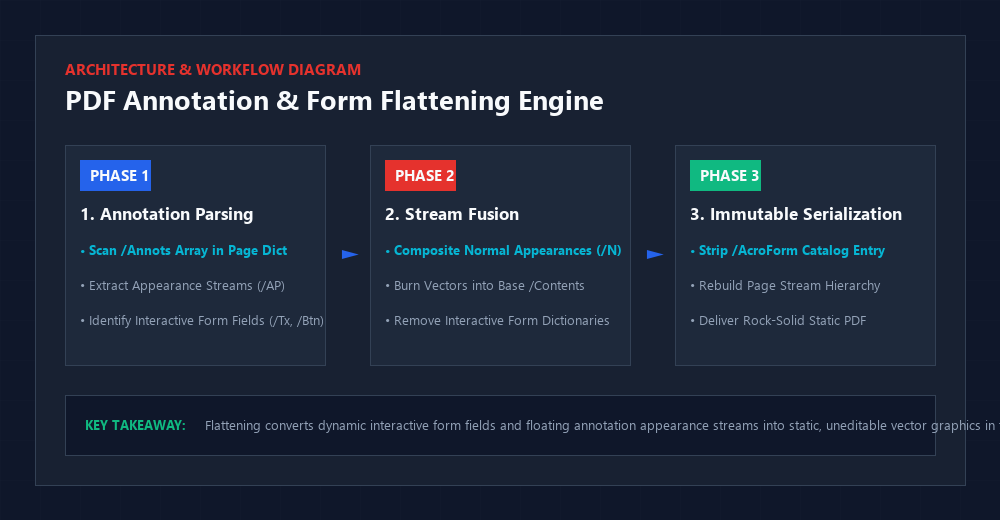
1. Extract Appearance Streams: Every form field and annotation contains a normal appearance stream (`/AP << /N ... >>`) defining how it visually appears.
2. Merge into Base `/Contents`: The flattener takes that appearance stream, applies its coordinate transformation matrix, and appends it directly into the page’s primary vector drawing stream.
3. Prune `/Annots` and `/AcroForm`: It removes the interactive `/Annots` entries and deletes the document’s top-level `/AcroForm` catalog dictionary.
The resulting document looks 100% identical on screen, but the form inputs and signatures are now static, permanent vector paths that can never be altered or lost.
Preventing Post-Signing Tampering
In legal and real estate transactions, sending an unflattened filled PDF is a massive security risk. A recipient can click inside a filled form field and change an interest rate from 5% to 2% or alter a delivery address.
Flattening locks the form permanently. Because the text becomes part of the immutable page drawing stream, it cannot be edited without specialized structural editing tools, ensuring your agreed-upon terms remain inviolate.
What Most People Get Wrong About Flattening PDFs
The Common Misconception: Users believe that flattening a PDF turns the entire document into a blurry, low-resolution JPEG.
Why It Fails in Production: Inexpensive tools flatten PDFs by rasterizing the whole page into an image. This blurs text, ruins vector logos, and increases file size.
The Correct Engineering Approach: True vector flattening preserves all underlying PostScript text outlines and vector shapes. It merely merges the interactive annotation layer into the vector stream without rasterizing a single pixel.
Document States: Interactive AcroForm vs. Flattened Static PDF
Option A: Flattened Static PDF (BFPT)
- Advantages: Guaranteed 100% universal display across all printers, phones, and browsers; tamper-resistant; signatures and forms cannot be lost or altered.
- Trade-offs: Form fields can no longer be edited interactively.
- Best Use Case: Finalized contracts, signed tax filings, print production preflight, and formal submissions.
Option B: Interactive AcroForm
- Advantages: Recipients can click and fill out fields dynamically.
- Trade-offs: Prone to disappearing on mobile viewers and commercial printers; easily tampered with.
- Best Use Case: Blank template forms distributed for completion.
The Decision Matrix: Keep your master template interactive; always flatten the finalized, signed document before sharing or printing.
Step-by-Step Practical Workflow
- Open the Free Online PDF Flattener.
- Upload your filled PDF form or signed document.
- Choose your flattening scope: ‘Flatten Form Fields & Signatures’ or ‘Flatten All Annotations & Comments’.
- Click ‘Flatten PDF’. The WebAssembly engine burns the appearance streams into the base vector layer in seconds.
- Download your locked, print-ready PDF.
- Print or share with 100% confidence that your signatures and form data will render flawlessly on every device.
Frequently Asked Questions
Can someone edit form fields after I flatten the PDF?
No. Flattening removes the interactive form fields entirely, converting your entries into static, uneditable vector graphics.
Will flattening reduce the clarity of my text or images?
Not with our tool. We perform true vector stream flattening, preserving 100% of your fonts, vector paths, and original resolutions.
Why do my form fields disappear when I print from my phone?
Many mobile print drivers do not render interactive annotation layers. Flattening your PDF before printing resolves this issue completely.
Are my sensitive tax or legal forms uploaded to your servers?
Never. All flattening executes 100% locally in your web browser via WebAssembly. Your confidential information never leaves your computer.
Final Takeaway & Professional Advice
Flattening a PDF before printing or sharing guarantees that your signatures, annotations, and form data look identical on every screen and printer. With local browser-based vector flattening, you protect your documents from tampering and display errors in seconds.
? Put This Into Practice: Free Online PDF Flattener
Ready to apply these techniques right now? Use our free Free Online PDF Flattener. Everything processes 100% locally in your web browser via WebAssembly—zero file uploads, no cloud waiting queues, and complete personal privacy guaranteed.