
Welcome to Best Free PDF Tools (BFPT) — a comprehensive suite of 58 fast, secure, and completely free in-browser utilities designed for everyday document and image tasks. Whether you need to combine reports, convert presentation slides, annotate contracts, reduce file size, or remove image backgrounds, our tools execute directly inside your web browser using modern WebAssembly and client-side processing. Your documents, photos, and personal data never leave your device.
Browse Tools by Category
Explore the Complete Collection of BFPT Tools
Unlike traditional cloud-based PDF conversion portals that require you to upload private contracts, financial statements, and personal records to remote servers, Best Free PDF Tools was architected from the ground up for 100% on-device processing. By leveraging HTML5 File APIs, dedicated Web Workers, and compiled WebAssembly binaries, our browser applications manipulate document streams locally in your computer’s volatile memory.
If you prefer an interactive search grid with instant client-side filtering by name or keyword, you can explore the complete collection directly in our functional directories:
Explore All Tools Directory
Browse All PDF Tools
PDF Tools
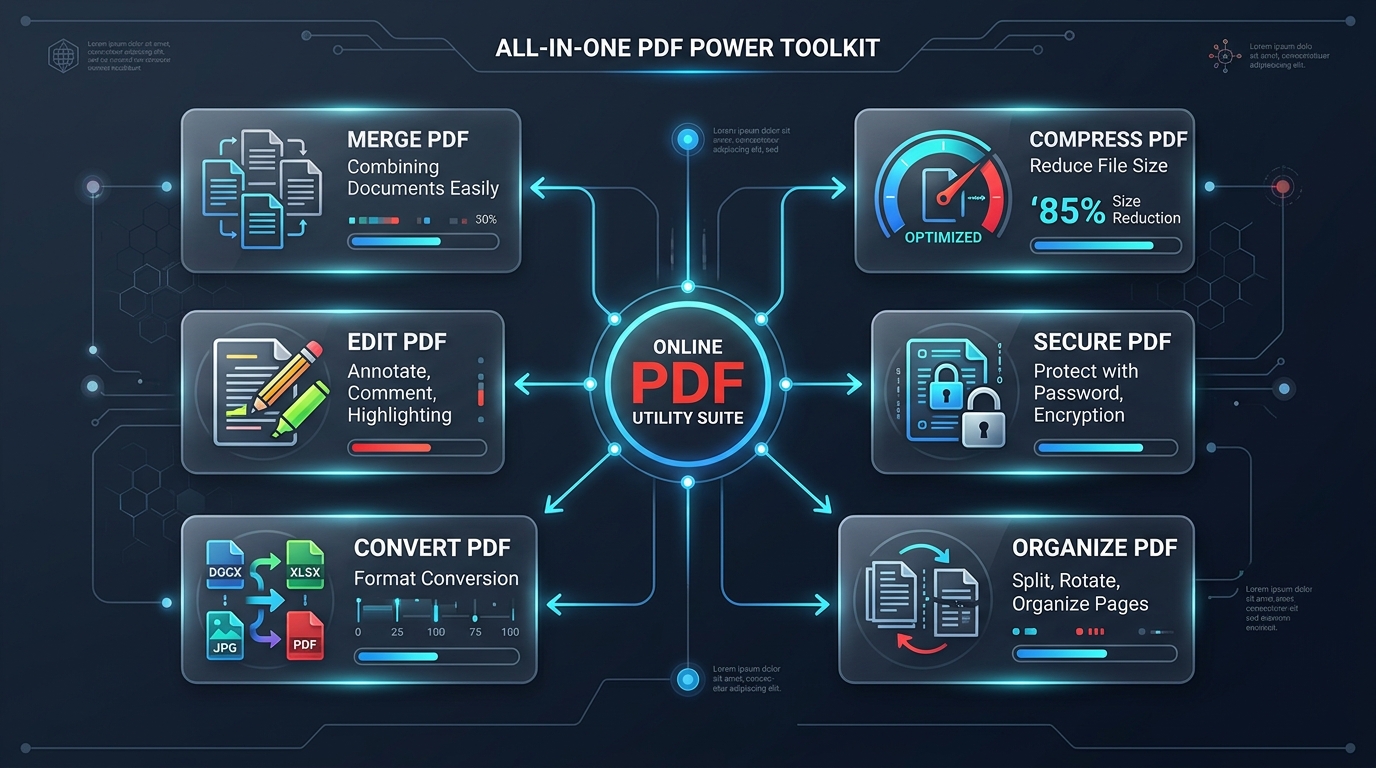
The PDF suite represents the foundation of the BFPT ecosystem. It comprises 57 specialized tools spanning document organization, bidirectional file conversions, structural compression, vector editing, digital signatures, legal Bates numbering, and metadata inspection. Below is the verified directory of every tool currently available in the collection.
1. PDF Organization Tools
Managing multi-page documents requires precision. These utilities allow you to reorder, split, merge, rotate, and clean up document structures without rasterizing page quality or altering embedded vector fonts.
-
Merge PDF :
Combine multiple PDF files into one clean document. -
Split PDF :
Separate PDF pages or extract custom page ranges. -
Split PDF by File Size :
Split large documents into chunks below a target MB limit. -
Organize PDF :
Reorder, delete, and duplicate pages visually on a grid. -
Rotate PDF :
Rotate PDF pages permanently to 90, 180, or 270 degrees. -
Delete PDF Pages :
Remove unwanted pages from your PDF document. -
Extract PDF Pages :
Extract specific pages into a new standalone PDF. -
Remove Blank Pages :
Automatically detect and delete blank or empty pages. -
Convert PDF to Booklet :
Impose 2-up page layout for saddle-stitch printing.
2. PDF Conversion Tools
Convert to and from PDF format without server queues or rate limits. Every conversion runs directly in your browser, maintaining layout fidelity and producing clean, standards-compliant output files.
-
JPG to PDF :
Convert JPG, PNG, and WebP images into a single PDF. -
PDF to JPG :
Export crisp JPG images from every PDF page. -
PNG to PDF :
Convert PNG graphics with transparency into high quality PDF. -
PDF to PNG :
Render PDF pages as crisp, lossless PNG images. -
Convert PDF to WebP :
Convert PDF pages into lightweight, high-quality WebP images. -
Convert PDF to SVG :
Export vector page graphics to scalable SVG images. -
Convert PDF to TXT :
Extract document text into a clean plain text file. -
Convert PDF to Markdown :
Format document content into GitHub-flavored Markdown. -
Convert PDF to HTML :
Export PDF pages into standalone semantic HTML. -
Convert PDF to CSV :
Extract tables and structured text into CSV format. -
Convert PDF to JSON :
Serialize document structure and metadata into JSON. -
Convert PDF to RTF :
Convert PDF text into Rich Text Format for word processors. -
Create PDF from Text :
Generate a formatted PDF from plain text. -
Create PDF from Markdown :
Render styled PDF documents from Markdown. -
Base64 to PDF :
Decode Base64 data back into a downloadable PDF document.
3. PDF Compression & Optimization
Large PDF files create email transmission bounces and sluggish web downloads. BFPT provides honest, structural optimization tools that strip duplicate font subsets, optimize stream objects, and downsample embedded bitmap imagery with transparent before-and-after byte counts.
-
Compress PDF :
Reduce PDF file size honestly on your device. -
Batch PDF Compressor :
Compress multiple PDF files at once and download in a ZIP. -
Optimize PDF for Web :
Linearize and optimize streams for fast online viewing. -
Optimize PDF for Print :
Flatten transparencies and verify print media margins. -
Repair PDF :
Fix damaged cross-reference tables and recover corrupted files.
4. PDF Editing & Annotation
Make instant changes to documents with our full-featured canvas editor and specialized markup utilities. Add text callouts, draw vector annotations, insert images, fill AcroForms, stamp watermarks, and crop page boundaries with real-time visual feedback.
-
PDF Editor :
Edit PDF text, draw, annotate, add signatures, images, watermarks & organize pages. -
Add Page Numbers :
Insert clean page numbers with custom styling and position. -
Watermark PDF :
Stamp custom text or image watermarks across your pages. -
Crop PDF :
Trim page margins and adjust document crop boxes visually. -
Add Header and Footer :
Insert running headers, footers, and page numbers. -
Add Page Borders :
Draw decorative or legal margin borders around pages. -
Add Bates Numbers :
Apply sequential legal Bates numbering to pages. -
Fill PDF Forms :
Fill out interactive PDF form fields and checkboxes in-browser. -
Create Fillable Forms :
Add interactive text boxes and checkboxes to any PDF page. -
Flatten PDF :
Merge form fields and annotations into static page graphics. -
Edit Metadata :
Inspect and modify Title, Author, Subject, and Keywords. -
Remove Annotations :
Strip comments, highlights, and markup from your PDF. -
Resize PDF Pages :
Rescale or fit PDF pages to A4, Letter, Legal, or A3.
5. PDF Security & Document Protection
Confidential documents demand stringent privacy. Our security tools apply standard cryptographic algorithms (including AES-128 and AES-256) entirely client-side. Your master passwords and decrypted contents are never transmitted across any network connection.
-
Protect PDF :
Add password protection and permissions encryption on your device. -
Unlock PDF :
Remove password restriction when valid password is supplied. -
Sign PDF :
Draw, type, or stamp your signature onto PDF pages. -
Redact PDF :
Permanently blackout and remove sensitive information from pages. -
Password Strength Checker :
Test password entropy, complexity, and crack resistance.
6. PDF Text & Data Extraction Tools
Audit, inspect, and extract embedded assets from complex PDF documents. Whether extracting raw photography without compression artifacts or scraping text tables into JSON and CSV, these tools offer unmatched developer and researcher utility.
-
Extract Text :
Extract selectable text streams from PDF into plain text. -
Extract Images :
Retrieve embedded images and photos into a ZIP file. -
Extract Form Fields :
Extract AcroForm field names, types, and values. -
Extract PDF Fonts :
Inspect and list all embedded and system fonts used. -
Extract PDF Links :
Scan document and extract all embedded web URLs. -
PDF Dimensions Checker :
Check page dimensions in inches, millimeters, and paper sizes. -
PDF Metadata Viewer :
Inspect hidden document metadata, fonts, and properties. -
PDF Page Count Checker :
Quickly count total pages across one or multiple PDF documents. -
PDF File Size Calculator :
Analyze byte distribution and estimate compression savings. -
PDF to Base64 :
Encode binary PDF files into Base64 strings or Data URIs.
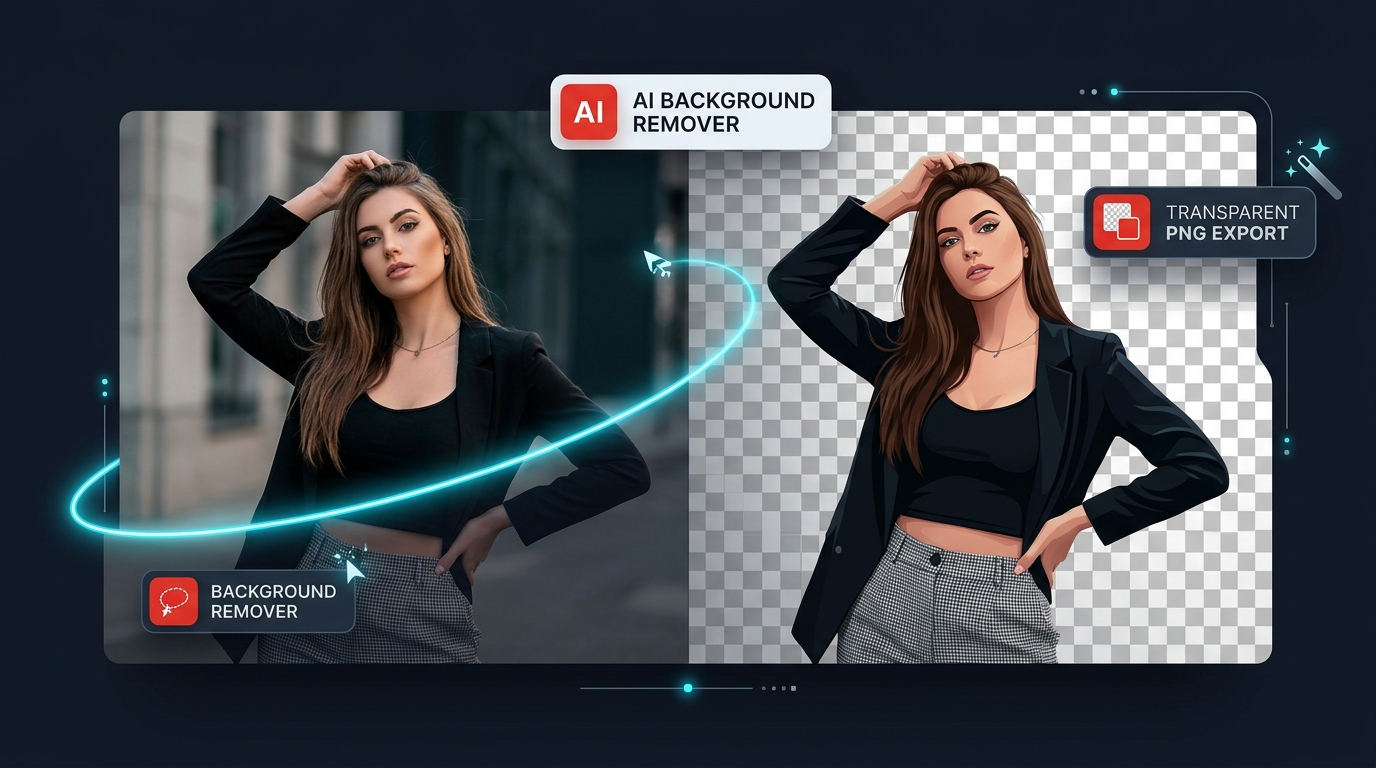
Image Tools
In addition to our extensive PDF suite, BFPT includes modern media editing utilities. The flagship tool in our active non-PDF collection is the Free Background Remover.
Powered by ONNX Runtime Web and compiled WebAssembly, the Background Remover automatically detects foreground subjects (portraits, e-commerce products, animals, and graphic objects) and isolates them from unwanted backdrops. Key verified technical capabilities include:
- Three Specialized AI Models: Choose between MODNet (lightweight, recommended for fast mobile performance), ORMBG (high-definition portrait and animal matting), and BEN2 (ultra-sharp boundary delineation).
- Multi-Format Image Support: Upload standard JPG, PNG, or modern WebP images up to high resolutions with automatic memory management guards.
- Interactive Manual Refinement: Utilize the non-destructive erase and restore brush with adjustable diameter and edge hardness to fine-tune hair strands and complex silhouettes.
- Full Editing Suite: Add replacement solid backgrounds, custom colors, background blur effects, or directional drop shadows before exporting.
- Transparent Exports: Download lossless, full-resolution transparent PNG or WebP files instantly with zero server uploads.
Converters and Calculators
Document conversion is one of the most frequent administrative bottlenecks. BFPT provides 15 dedicated conversion pathways that transform documents between print-ready PDFs, structured web formats (Markdown, HTML, JSON, CSV), and visual raster formats (JPG, PNG, WebP, SVG).
In addition to the active conversion suite, our development roadmap on the Other Tools directory features upcoming client-side financial and mathematical calculators (such as Loan, Mortgage, and Percentage tools). These tools are architected to run strictly in-browser without sending user financial figures to remote analytics providers.
SEO and Developer Tools
Developers, engineers, and digital marketing specialists frequently need to inspect document internals and encode data. BFPT includes a suite of specialized technical tools:
- Base64 to PDF & PDF to Base64: Effortlessly convert binary documents to and from Base64 ASCII strings for API payload testing, database blobs, and email attachments.
- PDF to JSON & PDF to CSV: Parse unstructured document contents into structured data interchange formats for ingestion into analytics pipelines.
- Edit Metadata & Metadata Viewer: Audit and modify embedded Title, Author, Subject, Keywords, and XMP properties to optimize technical document SEO and ensure corporate metadata compliance.
- Extract PDF Links: Crawl and audit all outbound hyperlinks embedded in your publications to identify broken destinations before broad distribution.
More Tools to Explore on the BFPT Roadmap
The BFPT architecture is built to expand. As detailed on our All Other Tools hub, additional browser-based utility categories are actively entering our development pipeline:
- Comparison & Diff Tools: Side-by-side visual and textual document difference inspectors to highlight revisions between contracts.
- Unit & Measurement Converters: Instant conversion utilities for engineering, typographical, and architectural dimensions.
- Developer Utilities: Client-side code formatters, hash generators, and regex validators.
How to Choose the Right Tool for Common Tasks
With 58 tools available, finding the right utility takes only a moment. Here is a practical guide for the most common document workflows:
| Task Objective | Recommended Tool | Key Advantage |
|---|---|---|
| Combine multiple project files | Merge PDF | Drag-and-drop page sorting with instant merging. |
| Shrink an oversized PDF for email | Compress PDF | Structural stream cleanup with transparent byte savings. |
| Add text, shapes, or notes to a PDF | PDF Editor | Full vector canvas with drawing, typing, and image insertion. |
| Sign a rental lease or agreement | Sign PDF | Draw, type, or stamp signatures directly onto any page. |
| Make an image transparent | Free Background Remover | AI matting with fine hair detail and transparent PNG export. |
| Black out private information | Redact PDF | Permanently sanitizes underlying text vectors. |
| Fix upside-down scanned pages | Rotate PDF | Live thumbnails with 90° clockwise and counterclockwise controls. |
Start Using BFPT Tools Today
Every tool on Best Free PDF Tools is available right now with no registration, no subscriptions, no email collection, and zero server uploads. Because processing executes locally on your hardware, there are no wait queues, no upload timeouts on large files, and no privacy compromises.
To get started, explore our flagship utilities:
- Launch the Free PDF Editor to annotate and customize documents.
- Try the Free Background Remover for automated AI photo cutouts.
- Use Merge PDF or Compress PDF to streamline your document workflow.
- Review our architectural privacy guarantees on How We Protect Your Files.
Frequently Asked Questions
What is Best Free PDF Tools?
Best Free PDF Tools (BFPT) is an independent web application platform offering 58 free in-browser utilities for document manipulation, file conversion, compression, and image editing without requiring software installation or server uploads.
What tools are available on BFPT?
The collection currently includes 57 specialized PDF tools across 6 categories (Organization, Conversion, Compression, Editing, Security, and Data Extraction) along with an AI-powered Image Background Remover.
Are all the tools free to use?
Yes. All 58 tools are completely free to use for personal, academic, and commercial purposes without trial limits, hidden subscriptions, paywalls, or feature watermarks.
How do BFPT tools protect my privacy?
BFPT uses client-side WebAssembly, JavaScript, and Web Workers. When you open a file, it is loaded directly into your browser’s local memory and processed locally. Your files are never uploaded or stored on any remote cloud server.
Can I edit PDF documents online with BFPT?
Yes. The Free PDF Editor allows you to add text, vector drawings, geometric shapes, signatures, watermarks, and images, as well as reorder, rotate, crop, or delete pages directly inside your web browser.
Can I convert and compress PDF files?
Yes. BFPT features 15 conversion tools supporting JPG, PNG, WebP, SVG, Markdown, HTML, CSV, JSON, and RTF, alongside single and batch compression tools that reduce file sizes using lossless structural optimization.
Does BFPT offer tools beyond PDF utilities?
Yes. BFPT includes non-PDF utilities such as the Free Background Remover, with additional browser-based tools such as calculators and document diff comparison tools currently in active development.
Does BFPT have an image background remover?
Yes. The Free Background Remover uses ONNX Runtime Web to detect subjects and remove backgrounds in-browser. It includes an erase and restore brush, solid/color replacements, drop shadows, and transparent PNG exports.
Can I use BFPT tools on my mobile phone?
Yes. All BFPT tools and directories are built with responsive layouts that adapt to smartphones, tablets, and desktop displays. For AI background removal on mobile devices, lightweight models such as MODNet are recommended.
Do I need to install any software to use BFPT tools?
No. Every tool runs directly inside modern web browsers such as Chrome, Firefox, Safari, and Edge. No extensions, desktop installers, or account logins are required.